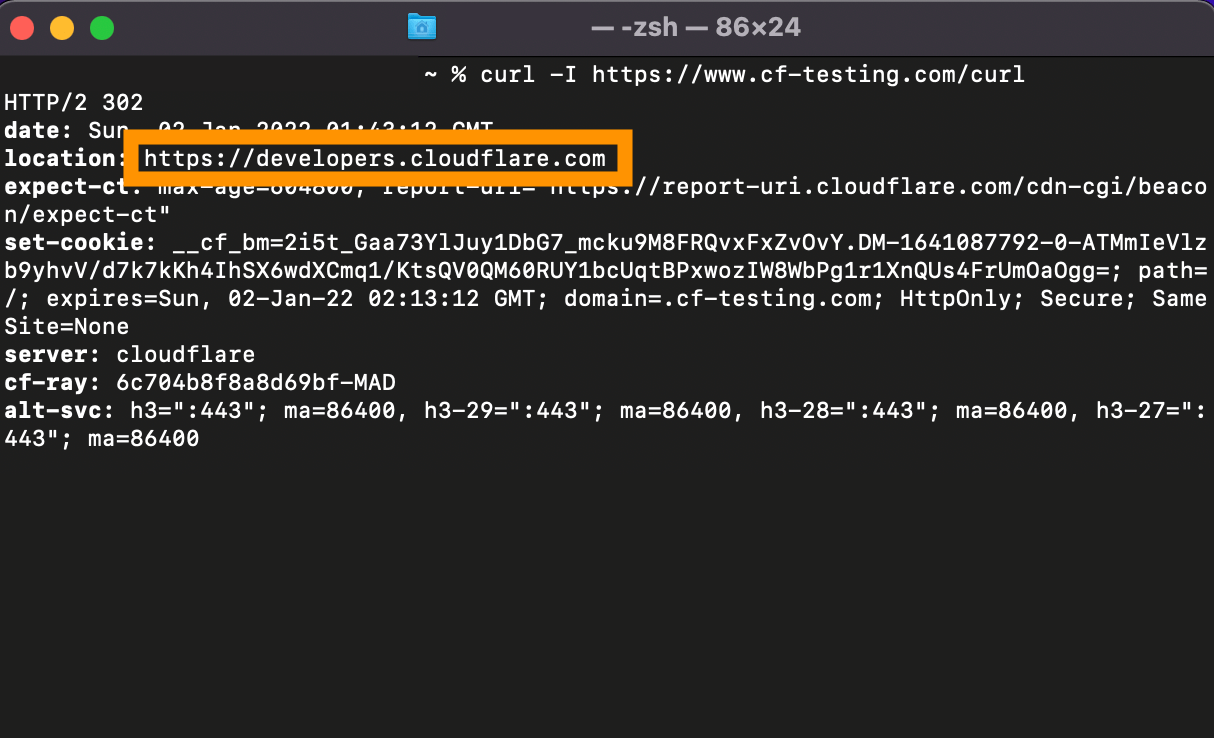
Workers code:
addEventListener("fetch", (event) => {
  event.respondWith(
    doRedirects(event.request).catch(
      // catch error with a trace of which functions were called, in what order, from which line and file, and with what arguments
      (err) => new Response(err.stack, { status: 500 })
    )
  );
});

// final redirect destination
const newLocationHost = "developers.cloudflare.com";

async function doRedirects(request) {
  // get user-agent header
  let reqUA = request.headers.get('user-agent')

  // match method that accepts a regular expression
  const regexcurl = /curl[\s\S]*/;
  if (reqUA !== null && reqUA.match(regexcurl)) {

    // new location through HTTPS
    let newLocation = "https://"+newLocationHost

    //return Response.redirect(newLocation, 302);
    // return redirect
    return new Response(undefined, {
      status: 302,
      statusText: 'Found',
      headers: {
        Location: newLocation
      }
    });
  }
return fetch(request);
}
Let’s talk!
Disclaimer
The information contained on this website is for general information and educational purposes only. This website is not affiliated with the company Cloudflare, nor does it represent Cloudflare in any way.